Managed account recovery
Peneira lets teachers create educational accounts with a username and no email address. These are managed accounts: students can request help from the sign-in screen, but the responsible teacher generates and privately gives them the new password.
This procedure is only for accounts without email
If the account uses an email address, Peneira sends the recovery link to that address and the teacher does not need to intervene.
1. The student requests recovery
- On the Peneira sign-in screen, select Remember password.
- Enter the account username, then select Remember password again.
- Peneira confirms that the responsible teacher has been notified.
- The student contacts the teacher to receive the new password. Peneira cannot send it directly because the account has no email address.
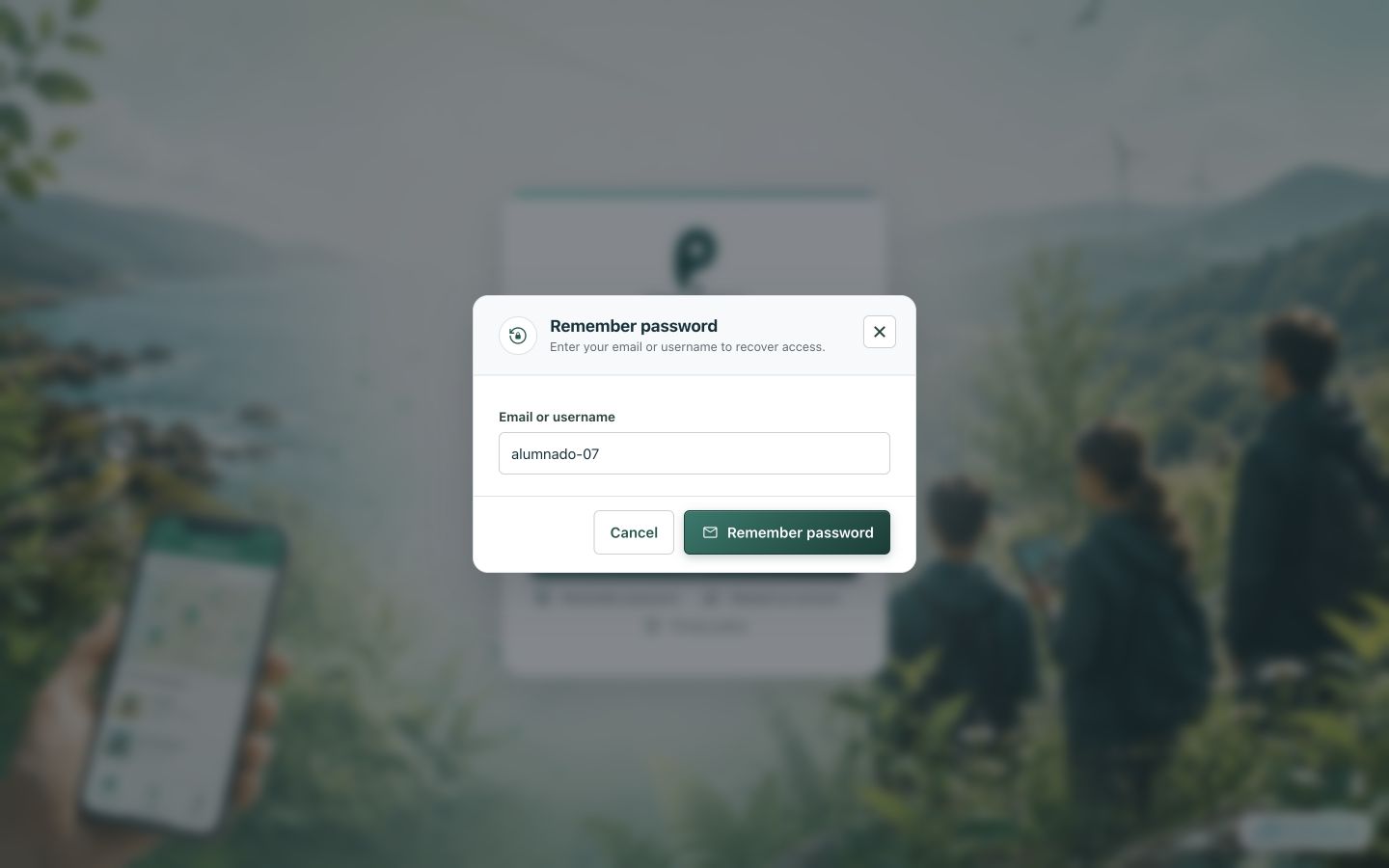
Students enter their username; they do not need to know the teacher's email address.
2. The teacher opens participant management
If the responsible teacher has an email address in Peneira, they receive a notification with the request and a link to the project. The page can also be opened manually:
- Open the project in which the student participates.
- Open User management.
- Find the account by its username.
- Select the Reset password icon (a lock with an arrow) in the student's row.
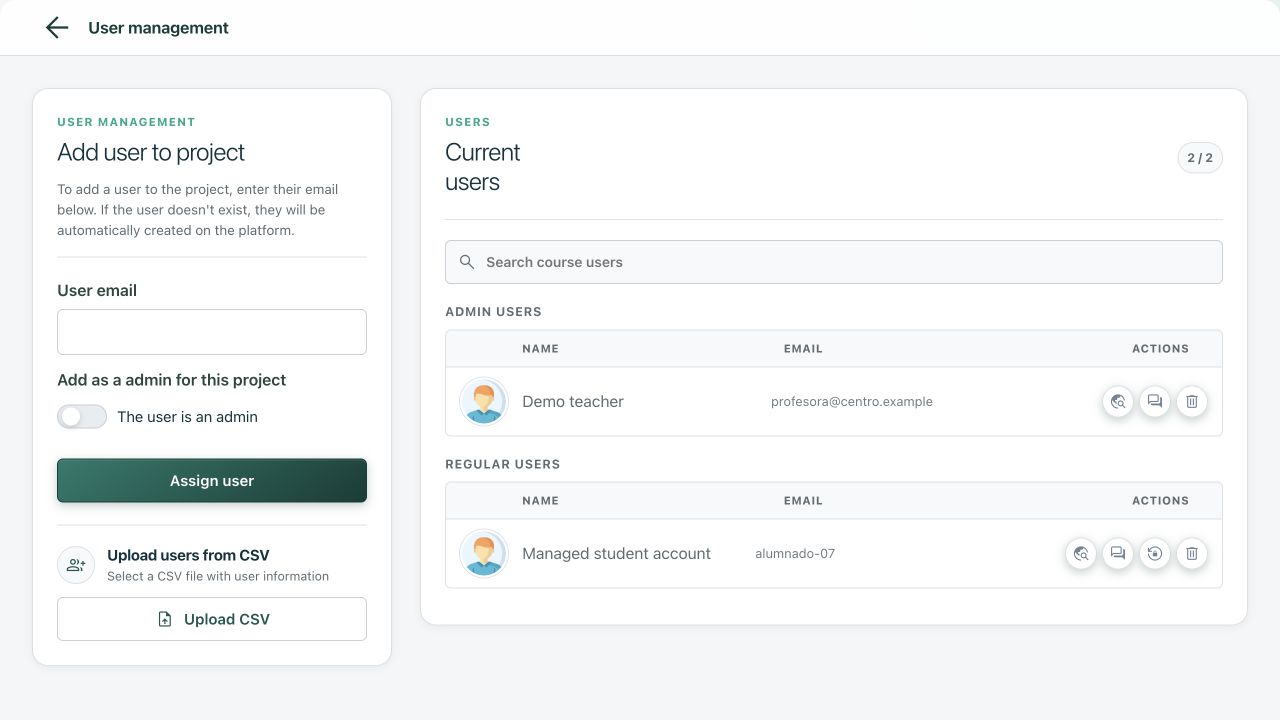
The action is only shown for no-email accounts that the current teacher is allowed to manage.
3. The teacher generates and gives the new password
- Confirm Reset password.
- Copy the new password displayed by Peneira.
- Give it to the student through a private, secure channel.
- The student can now sign in with the username and new password.
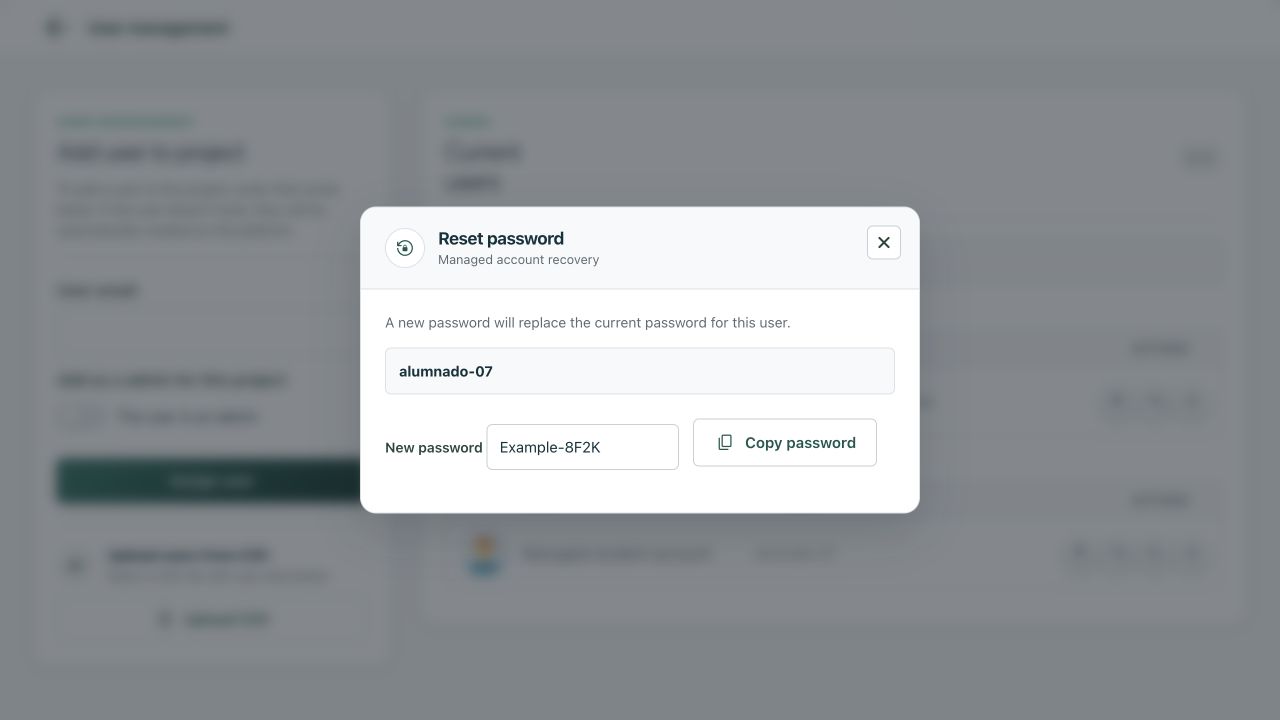
The screenshot uses a fictitious password. Copy the real password before closing the dialog.
The previous password stops working immediately
Do not post the new password in a shared group, forum or virtual classroom. If you close the dialog without copying it, you will have to perform another reset. The student can change it later from their profile.
Who can reset it?
- The teacher who created the managed account.
- A Peneira superadministrator.
- The account must still belong to the project from which the reset is performed.
For older accounts that do not record their creator, Peneira assigns the owner of the oldest project containing that account as the responsible teacher. If the account does not belong to any project, a superadministrator must intervene.
If the reset icon is missing
Check that:
- the account uses a username without
@; - you are the responsible teacher for that account;
- the student still belongs to the open project.
If all three are correct and the action is still unavailable, contact the Peneira administrators with the project and username, but do not send passwords.